


Zangi - Private Messenger
4.211.43K Reviews
App Specs
- Version
- 6.5.5
- Updated On
- License
- Free
- Downloads
- 50,000,000+
- Developer
- Secret Phone, Inc
- Categories
- Communication
- Platform
- Android, iOS
Screenshots
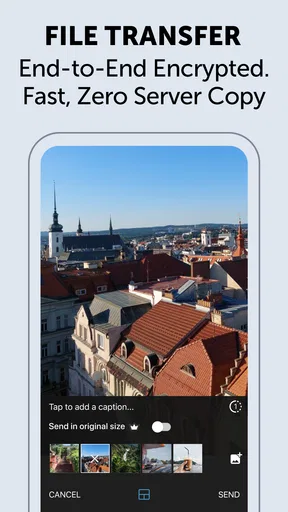
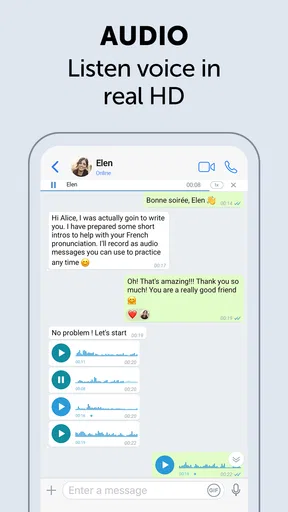
 Analysis by AppCompare
So, I’ve been diving into the world of private messaging, and let me tell you, Zangi Private Messenger has caught my eye. With everyone being super conscious about privacy these days, having a reliable app for secure communication is a must. Let’s break down what makes Zangi a standout choice.
The first-week appeal
The early appeal is easy to understand: Zangi is a communication app from Secret Phone, Inc, and its focus on private messaging gives it a clear purpose from the moment you install it. It is free to download, rated for Everyone, and has been around since November 18, 2014. On Android, the current version is 6.4.0 and the minimum OS listed is Android 6.0. Those details make it accessible to a broad range of users, though the app’s real test is whether the people you want to contact are willing to use it too.
Setup is the sort of hurdle that matters more in theory than in practice: you verify a phone number, then need to bring your conversations over by inviting or finding contacts. That makes Zangi easiest to try with one person or a small group rather than as a wholesale replacement for every messaging app you already use. I’d start with someone who shares your interest in keeping a conversation separate, then see whether the routine feels natural before asking the rest of your circle to switch.
That small trial also helps answer a practical question: does a privacy-focused messenger fit your everyday life, or does it become one more inbox to check? For the first few days, novelty can carry an app. A more useful test is whether you remember to open it when you need to coordinate something ordinary, not just when you want to inspect its settings.
Why Zangi?
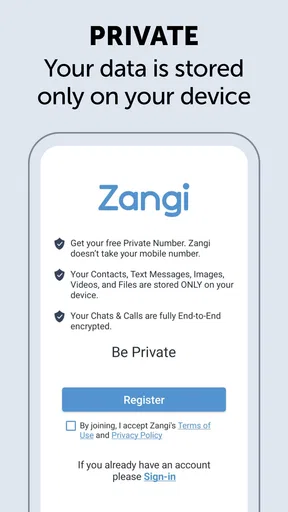
First things first, the privacy features are top-notch. Zangi doesn’t store your messages on any server, which means no one can snoop on your conversations. It’s like having a secret chat with your bestie, and only you two know what’s up.
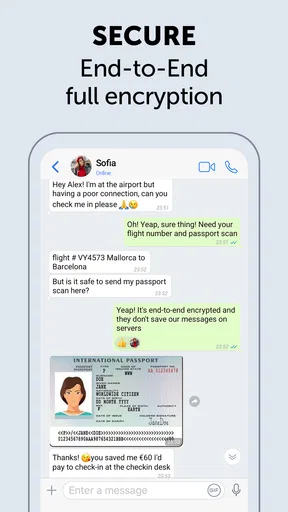
Another thing I absolutely love is that Zangi uses end-to-end encryption. Whether you’re sending texts, making voice calls, or sharing photos, you’re covered. It’s as if every message is wrapped in a security blanket, giving you peace of mind.
Privacy is a meaningful reason to try Zangi, but I would not treat any single app as a magic shield. A private conversation still depends on the person receiving it, the device they use, and the choices both people make. I’d use it for conversations where a dedicated private channel is useful, while avoiding the assumption that an app alone can prevent someone from saving or sharing what appears on their screen.
Worth Reading Before You Choose

Switching to Android Auto Means Rethinking Your Driving Routine

Google Calendar Makes a Crowded Week Easier to Manage

Baby Panda World Brings Quick Play to Modern Phones, but Its Game Library Feels Busy

ESPN’s Live Game View Makes Following Close Games Easier

QuizzLand Review: A Good Fit for Short Trivia Breaks, Not Every Player

Basketball Stars: Multiplayer Is Fast, but Can It Recover When Matches Go Wrong?
Features That Stand Out
What’s super cool about Zangi is its data efficiency. I mean, who doesn’t want to save on data, right? The app is optimized to use minimal data without compromising on quality. So, whether you’re on a road trip or just chilling at home, you won’t burn through your data plan.
Let’s not forget about the quality of calls. The app has this nifty feature called “Low Data Usage,” which, as the name suggests, uses less data while maintaining crystal clear voice calls. It’s like talking face-to-face, minus the actual face-to-face part.
That low-data option is most useful when you know your connection or allowance is tight, rather than as a setting to leave on without thinking. For instance, if I’m calling someone while away from Wi-Fi, I’d choose the lower-data approach and save video or larger media sharing for a stronger connection. It is a small habit, but it makes the app’s efficiency more practical than simply hoping a call will behave well on a weak network.
A realistic use case is coordinating a late pickup with a family member while one of you is travelling. A short message can settle the meeting point, and a call can clear up a last-minute change without relying on a long text exchange. If data is limited, the call setting gives you a way to be more deliberate. Zangi is less compelling if your contacts are already settled in another messenger and rarely answer elsewhere; the benefit of a communication app depends heavily on who is reachable there.
User Experience
Now, I’m a sucker for a good user interface, and Zangi doesn’t disappoint. The design is sleek and intuitive, making it super easy to navigate. You won’t find yourself getting lost in a maze of settings and options. Everything’s right where you need it.
Setting up an account is a breeze too. You just download the app, verify your number, and boom, you’re set to start chatting securely. It’s all about keeping it simple and effective.
The phone-number setup is convenient when you want to connect with people who can identify you that way, but it is also a point to consider if you hoped to use a messenger without tying it to a number. Before switching, I’d check that the people I need to reach can complete the same setup and are comfortable using a separate app. This is a more useful compatibility check than judging the interface alone.
Compared with familiar alternatives such as the messenger already used by your family, work team, or group of friends, Zangi’s case rests on its privacy focus and data-conscious calling. The trade-off is that a separate app only earns its place when the people you talk to will actually meet you there. If your priority is a shared group presence or keeping every conversation in one established inbox, sticking with your current service may be easier. If you want a distinct channel for selected contacts, Zangi has a clearer role.
Month-to-month value and upkeep
The longer-term question is not whether Zangi sounds useful, but whether you and your contacts keep reaching for it after the first-week curiosity fades. I’d judge that by a few ordinary moments: does the person you invited reply there, do you remember it when a call would be easier than texting, and does the app stay useful enough to justify another inbox? If the answer is yes, it can settle into a modest, dependable routine rather than needing constant attention.
Maintenance is mostly social, not technical: keep the people you actually need in the loop and avoid trying to move everyone at once. A small group with a clear reason to use the app is more likely to maintain a habit than a broad contact list that rarely produces replies. I’d also check the app after installing it to understand its current options and keep the version up to date through the relevant app store. That is sensible upkeep for any messenger, especially one chosen for privacy.
There is a financial detail worth keeping in mind as the habit develops. Zangi is free to download, but it offers in-app purchases ranging from $1.49 to $59.99 per item. I would look at the purchase screen carefully before paying and decide whether the item addresses something I genuinely need; the presence of optional purchases does not by itself make the free app unsuitable, but it is a reason to distinguish core everyday use from extras.
The app has an average rating of 4.2 from around 217,000 ratings, alongside about 9,700 written reviews and more than 10 million installs. That level of use suggests it has found a sizeable audience, but popularity cannot tell me whether my own contacts will adopt it. For a messenger, that is the more important measure: a smaller circle that responds is more valuable than a large audience I cannot reach through it.
Where the habit can wear thin
The clearest source of fatigue is fragmentation. If friends and relatives answer promptly in another app, checking Zangi as well can feel like extra work, even if its privacy focus appeals to you. I would not move every conversation by default. I’d reserve it for people who understand why you chose it, and keep ordinary coordination wherever the group already communicates reliably.
There is also a difference between wanting privacy and being comfortable with the practical steps that come with a separate messenger. Number verification and asking contacts to join are manageable, but they are still friction. Someone who expects every contact to be available instantly, without an invitation or explanation, may prefer a more established app in their circle. Zangi is a weaker fit when convenience means one universal inbox above all else.
Nor would I pick it solely because a private label sounds reassuring. The claims that matter most are the ones you understand and can make informed choices around, so take time to review the app’s current settings and how you intend to use it. For especially sensitive matters, think carefully about what you send and who can access the receiving device. That caution is not a reason to dismiss Zangi; it is a sensible boundary for any digital conversation.
Final Thoughts
All in all, Zangi Private Messenger is a solid choice if you’re looking for a secure and efficient messaging app. It’s like having your own private chatroom, where you can connect with your friends and family without worrying about prying eyes.
If privacy is your top priority, give Zangi a try. It’s available for both Android and iOS, so go ahead and download it today. Trust me, your conversations will thank you!
My lasting verdict is more measured: I’d recommend trying it with a few willing contacts, especially if you value private communication and want a messenger that considers data use during calls. I would skip it if nobody you need to reach will use it, or if maintaining multiple inboxes already feels tiring. Its strongest chance of earning permanent space is to become the place for a particular set of conversations, not another app you install and forget.
Pros
- End-to-end encryption for secure chats.
- Minimal data usage
- ideal for limited plans.
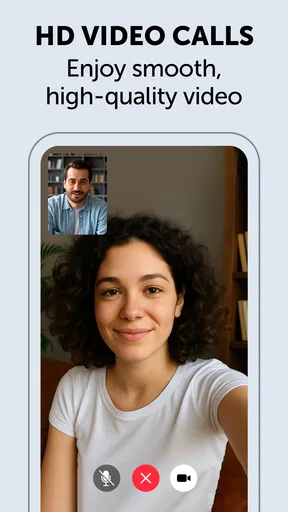
- High-quality voice and video calls.
- No ads
- ensuring a clean interface.
- Works well on low-bandwidth networks.
Cons
- Limited user base compared to big apps.
- No desktop version available.
- Missing some popular integrations.
- No status or story-sharing feature.
- Occasional glitches in group calls.
FAQs for Zangi - Private Messenger
Is Zangi Private Messenger secure for everyday communication?
Yes, Zangi Private Messenger is designed with security in mind. It uses end-to-end encryption to ensure that your messages, calls, and shared media are only accessible to you and the intended recipient. The app does not store any data on its servers, offering a high level of privacy and security.
Can I use Zangi Private Messenger without an internet connection?
Zangi Private Messenger requires an internet connection for sending messages and making calls. However, it is optimized for low bandwidth usage, allowing for smoother operation on slower connections. While offline messaging is not available, the app efficiently manages data usage when connected.
Does Zangi Private Messenger have any ads or in-app purchases?
Zangi Private Messenger is ad-free and does not include in-app purchases. This ensures a clean and uninterrupted user experience. The app focuses on providing privacy and security without the distractions of advertisements or the pressure to make additional purchases.
How does Zangi Private Messenger handle media files?
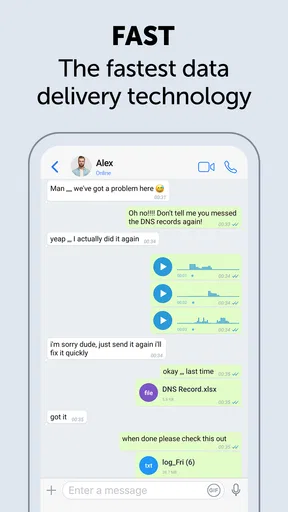
Zangi Private Messenger allows you to share photos, videos, and documents seamlessly. The app compresses files to ensure quick and efficient sharing without compromising quality. All media files are encrypted, maintaining privacy and security throughout the transmission process.
Is Zangi Private Messenger available on multiple platforms?
Yes, Zangi Private Messenger is available for both Android and iOS devices. It supports cross-platform communication, allowing users to connect seamlessly regardless of their device. The app can be downloaded from the Google Play Store for Android users and the Apple App Store for iOS users.


